Your X bookmarks, within reach
Find the X post
you saved.
Even when you forget its wording. Describe the idea you remember, then check the source behind the match.
Free iPhone 1.0 · iOS 26 or later
Release in preparation. Request access by email.
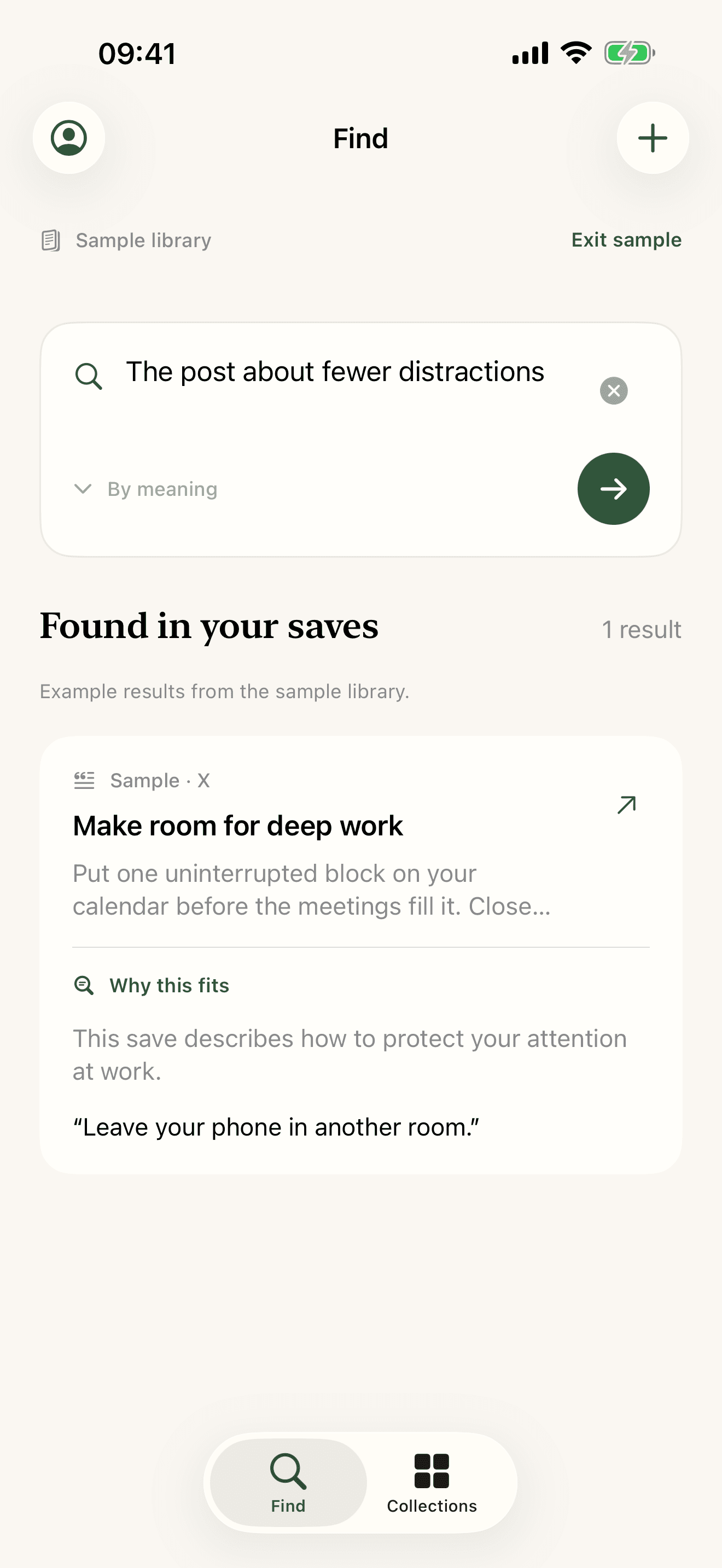
From saved post to useful answer.
01
Bring your bookmarks
Connect X on your iPhone. Import saved posts into your private Library.
02
Describe what you remember
Try the topic, the problem it solved, or one detail that stayed with you.
03
Check the source
Read the words that support the match. Open the original post when you need it.
Keep the idea.
Find the source again.
You might remember “the post about fewer distractions.” Start there. A useful result shows you why it fits.
28 seconds · Authored sample content · Music only, no speech
Read the demo transcript
- 0:00 Authored sample preview. Find a saved X post from the part you remember.
- 0:05 A sample search for fewer distractions finds the source words: Leave your phone in another room.
- 0:12 Open the saved text to read the full idea.
- 0:18 Keep related saved posts together in Collections on your iPhone.
- 0:24 MeBookmark for iPhone. Visit mebookmark.com. Instagram support is coming soon.
Before you start
Can I download MeBookmark now?
The iPhone release is being prepared. Request access by email. This page will link to the app when public distribution is ready.
What do I need?
An iPhone with iOS 26 or later. Connect your X account in the app to import your bookmarks. The sample Library lets you explore without connecting an account.
Is version 1.0 free?
The iPhone 1.0 release is free. Meaning search allows five attempts per Library each day, subject to service capacity and saved text limits. Failed provider attempts count. The app explains when a limit prevents search. Exact word search runs on your iPhone.
How does searching from memory work?
Describe the topic, a concrete detail, or why you saved the post. Meaning search compares your description with imported saved text. Results include a source excerpt and an explanation. It can miss a relevant post, so check the source.
Where do my X login and bookmarks go?
Your X session stays on your iPhone. The phone requests bookmarks from X and sends imported text and source links to your private MeBookmark Library. Meaning search sends your search and saved text to Anthropic after you give permission.
Can I recover or delete my Library?
Keep your secret Library recovery key in a password manager. Use it to open the same server Library on another installation. Anyone with that key can access your Library. Collections, Pins, and drafts stay local. Account controls let you delete the server Library or return to your Guest Library without merging them.
Does it import Instagram saves?
Instagram support is coming soon. Version 1.0 focuses on X bookmarks. It does not import your Instagram Saved collection.
More about your data and Library recovery.
Have a saved post in mind?
Request iPhone access. Try finding something you saved and could not find again.
Built for X first. Instagram is coming soon.